The goal is to have this add-in work with all versions of Excel from 97 to 2007.
However, currently, it works only with Excel 2002 and 2003.
These utilities and files have undergone reasonable testing and I use most of them for my own work. However, I do not guarantee they will function under all circumstances. While I have programmed the software with professionalism, the truth is that someone somewhere sometime will go beyond what I consider feasible. If that is you, and the software breaks, you are on your own.
I check the files for viruses before I upload them to the Web site. According to the virus protection software I use, they are virus-free. Each product is a single zip archive containing all the necessary files.
This add-in is a work-in-progress and shared in source form. However, it is still copyright by me. The final version, when available, will include a self-contained menu. In the meantime, to run the software use ALT+F8 and select the runEnhancedFind entry.
This add-in lets one find cell entries in a manner very similar to that of the Find method or the Edit | Find... dialog box. The big enhancements over the existing Excel capability include:
(1) it can find across all workbooks,
(2) once the cells are identified, it helps navigate to them, and
(3) it lets the user quickly select all the associated rows and / or columns.
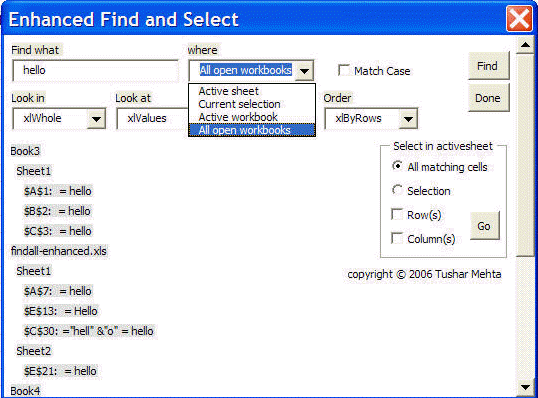
(1) The parameters that can be specified in the Enhanced Find and Select dialog box are the same as for the Excel-native Find with the exception of MatchByte and SearchFormat, both of which are currently unavailable in this add-in.
The one modifed parameter controls what is searched. As shown below, the choices range from the current selection to all open workbooks.
The results are shown in the same dialog box. If necessary, use the scroll bar to see all the results. Only those workbooks and worksheets that contain at least one match are shown.
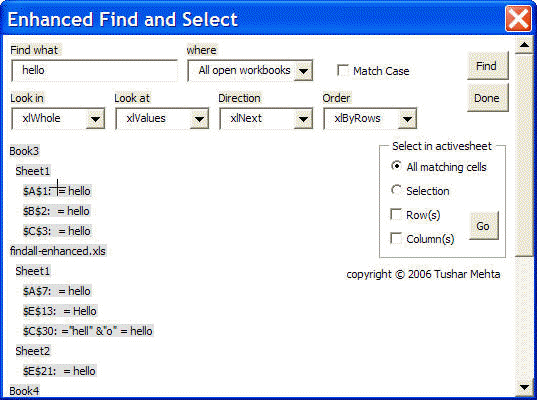
(2) Navigation through the matching cells: The cursor will turn into a cross-hair whenever it is over a cell reference (see below). Click the mouse to go to that cell.
(3) Enhanced select capability
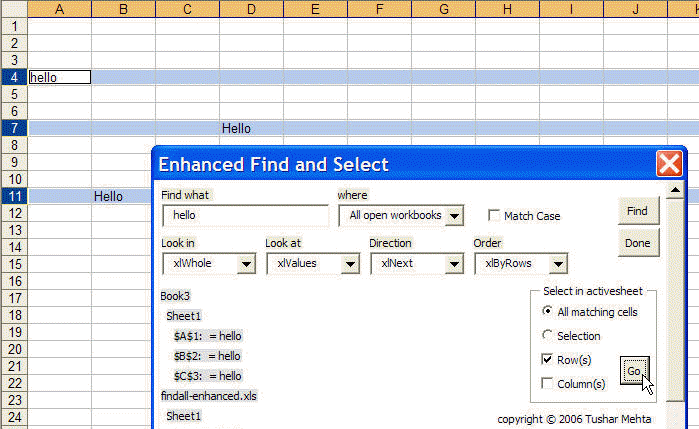
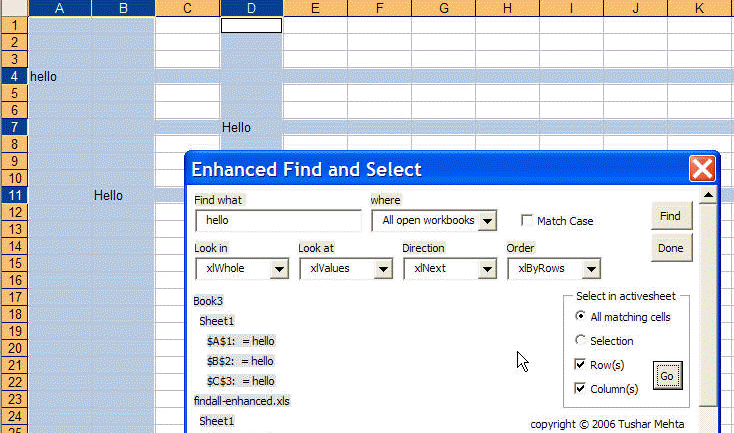
After navigating to the sheet of interest, one can quickly select cells meeting certain criteria. First, pick between all matching cells and the current selection. The first option helps one visually identify all the cells in the active sheet that match the specified criteria.
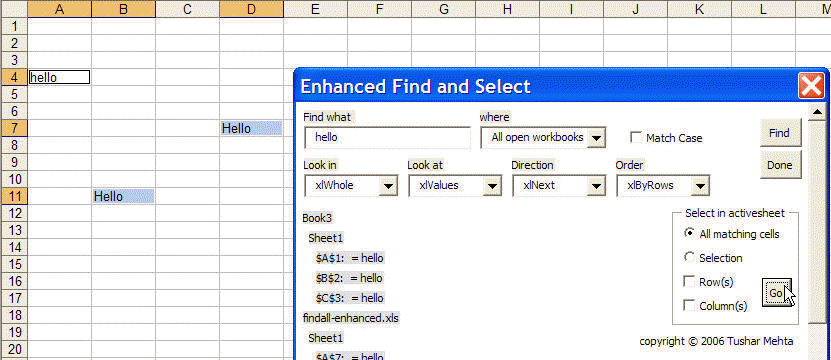
In addition, one can check the 'Rows(s)' and/or the 'Column(s)' checkboxes to select not just the matching cells but the rows and/or columns containing those cells.