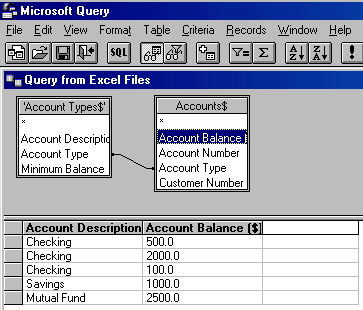
Now that we know how to link to MS Query, how to add tables to a query within MS Query, how to add fields to the query, and how to return data to Excel, we can expedite building this query. Once in MS Query add the Account Types and the Accounts tables, link them, and add the Account Description and the Account Balances fields to the query result.
On returning to Excel, select the PivotTable report option.
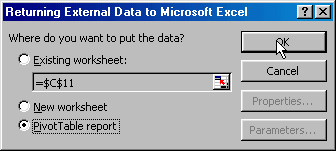
Click Finish to wrap up processing

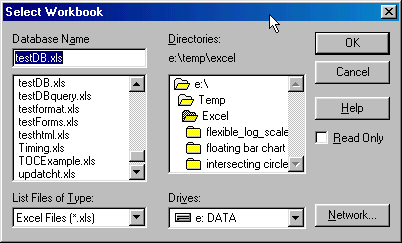
If you get a Select Workbook dialog box, select the same workbook that you selected in MS Query.
The resulting, though empty, PivotTable is now ready.
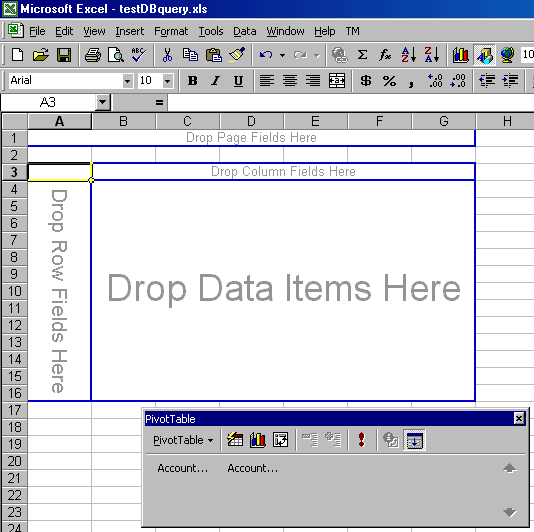
If you know how to use a PivotTable, feel free to skip to the final result. If not...
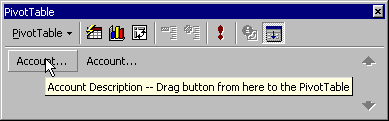
Select the Account Description button and drag it over to the area marked 'Drop Row Fields Here'
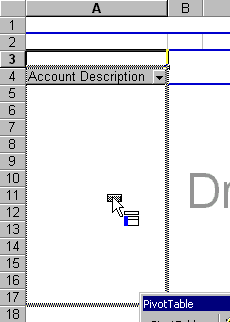
When the mouse is in the correct area it shows a rectangular area together with a few rows highlighted in blue.
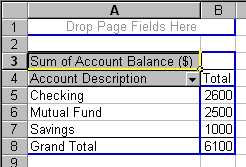
Similarly drag the Account Balance field into the area marked 'Drop Data Items Here. The result will be a finished PivotTable:
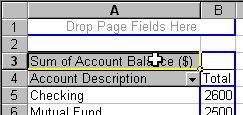
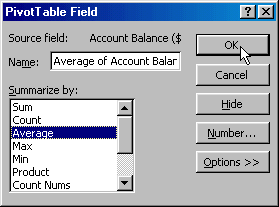
Next, change the default Sum of Account Balances that Excel created to the required Average by double-clicking on the field
Select the Average function in the resulting dialog box:
The final result as shown on the computer monitor
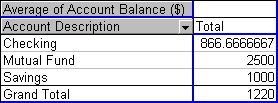
and the printed version:
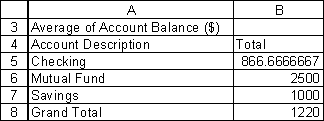
Query 3 -- A PivotTable cross-tabulation using data in the relational database

