Works with Excel 2000
(or later) only. Works with Excel 2000
(or later) only. |
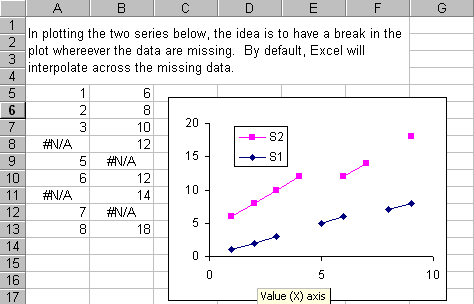
This Excel add-in ensures that all line and scatter charts on the active page have a discontinuity whereever the data point contains a #N/A.
In a recent version of Excel, Microsoft introduced a bug in its line charts making it impossible to create a discontinuity. While XY Scatter charts work as expected, as of now, Microsoft has not fixed its line chart problem.
Installation notes: The zipped file contains one file, skipnas.xla. Extract to a folder (or directory) of choice. From inside of Excel, add this file to the list of add-ins [Select the menu item Tools | Add-ins... | Click on the Browse button and select the skipnas.xla file].
After clicking OK in the Add-ins... dialog box, the add-in will be active. It will display a dialog box as a reminder that it is active. It will run unobtrusively in the background updating any line or scatter chart on the active worksheet whenever the chart data changes.