Infinite opportunities?  Endless problems?  Limited resources?  Talk to us!
Operations and
Technology Consulting
Publishing and
Training
Excel add-ins
and tutorials, charts, tips
VBA
tutorials
 PowerPoint
Add-Ins
and tutorials
Miscellanea
You are on the Home/Excel/Charts/Step chart page
About this site
Google
Web
This Site
 

Step Chart

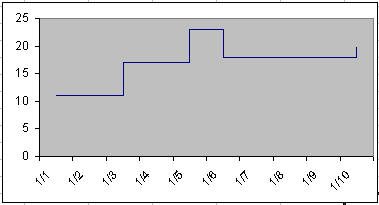
This tutorial looks at three ways to create a step chart, which is a chart that looks like the below.  The techniques below work with Excel 2007 as well as with earlier versions of the program.
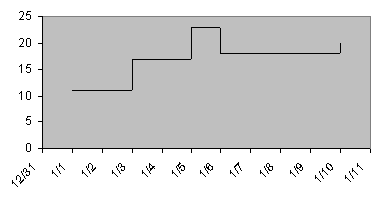
The data for the example chart is shown on the right.  Note that this technique works only with a XY Scatter chart. It does not work with a Line chart.
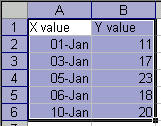

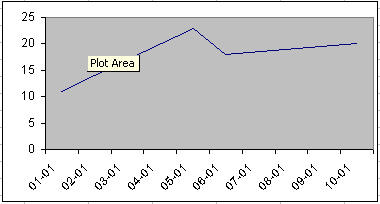
First, plot the data in a XY Scatter chart.  Let Excel create the default kind of chart.
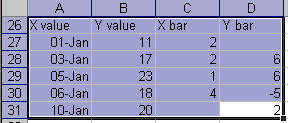
Add values for the x-error and y-error bars.  In C27, enter the formula =A28-A27.  Once done, copy it down to C30.

The formula in D28 is =B28-B27.  Once entered, copy it down to D31.
Now, to add the error bars and remove the default line.

Double click the plotted series.  In the Format Data Series dialog box, in the Patterns tab, set Line to 'None.'

In the X Error bars tab, set the values as shown on the right.
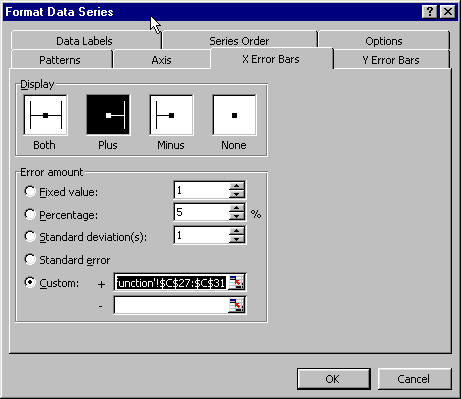
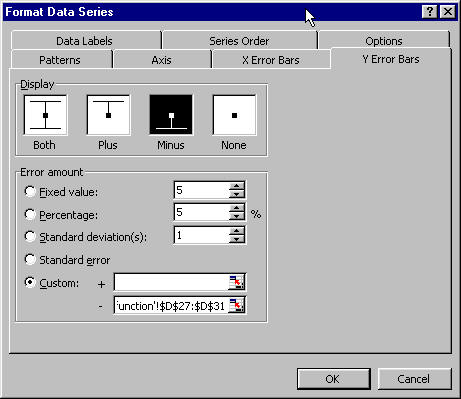
Set the values for the Y Error Bars in a similar manner.
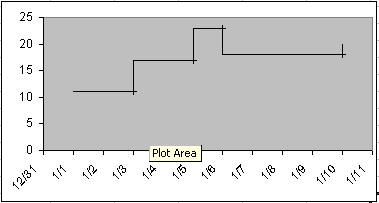
The chart should now look as shown on the right.
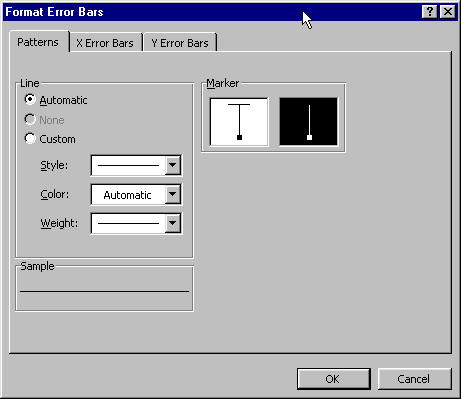
Fix the cross-lines for the error bars by double-clicking on any of the error bars.  In the Format Error Bars dialog box, select the marker style to be without the cross-line.
The job is done!
Keywords: Kaplan-Meier survival chart

 

For custom technology solutions, operations consulting, or training contact web-underscore-contact@tushar-hyphen-mehta-dot-cee-oh-em.
By accessing any page or link on this web site other than this page, you agree to the terms and conditions.

Ads from amazon.com

[Optional] Survey (current rating of site: 3.7 out of 4)  If you will take a moment to provide your comments, it will help improve the site both for you, and for other visitors.

On a scale of 4 (just what I need)
to zero (totally useless)

How do you rate the information

on this page?

  on this site?

[Optional]

Your name
Your email address
Other comments
 
Monitor page
for changes

it's private
by ChangeDetection
A comment selected at random:
Copyright © 2000-2008 Tushar Mehta.
Send comments and suggestions about the web site to webmaster@tushar-hyphen-mehta-dot-cee-oh-em
Last edited February 27, 2009